The open-source PaaS alternative to Vercel, Netlify, Railway, Render and Fly.io, from one machine to a whole cluster.
curl -fsSL https://pyo.dev/install.sh | bash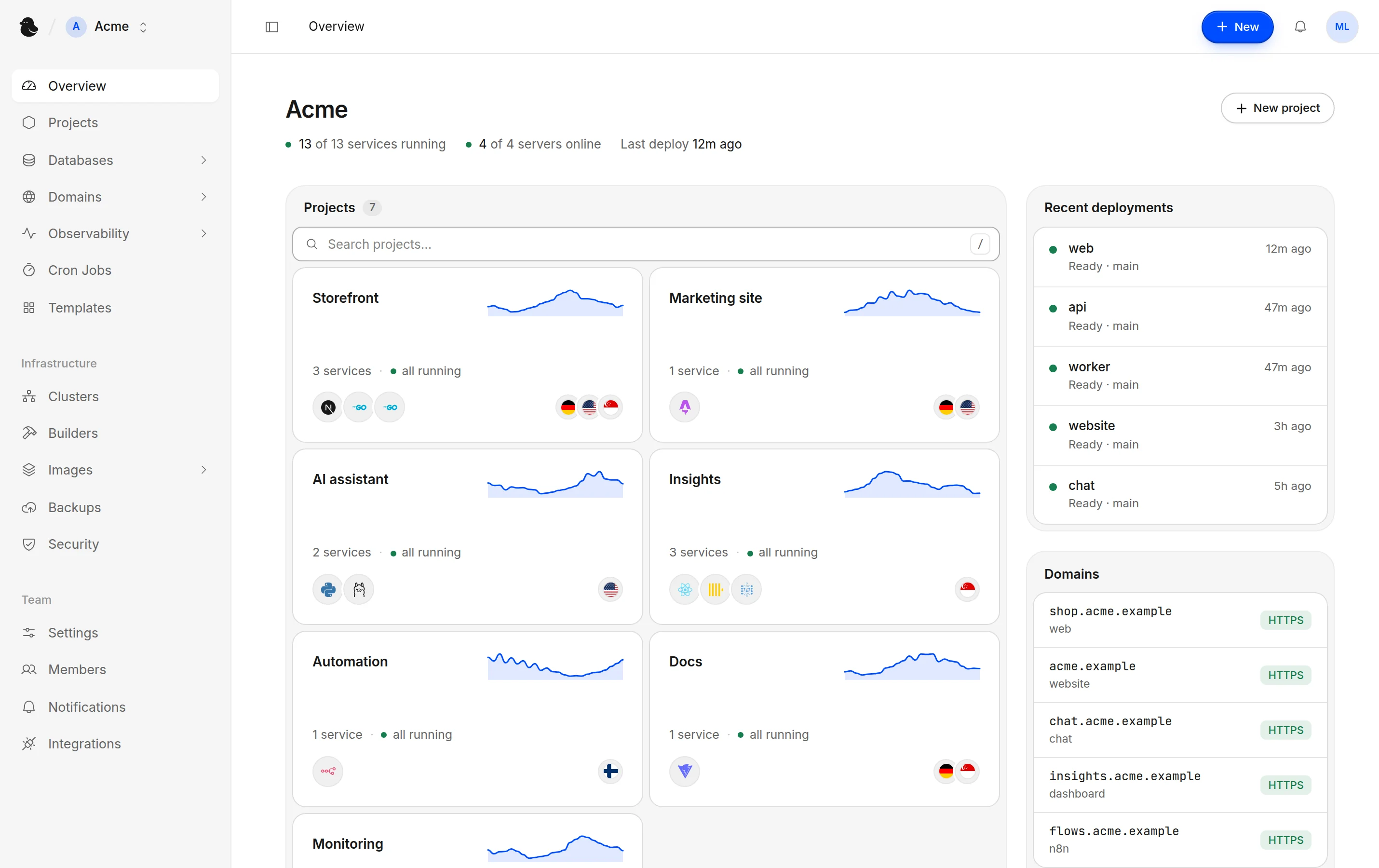
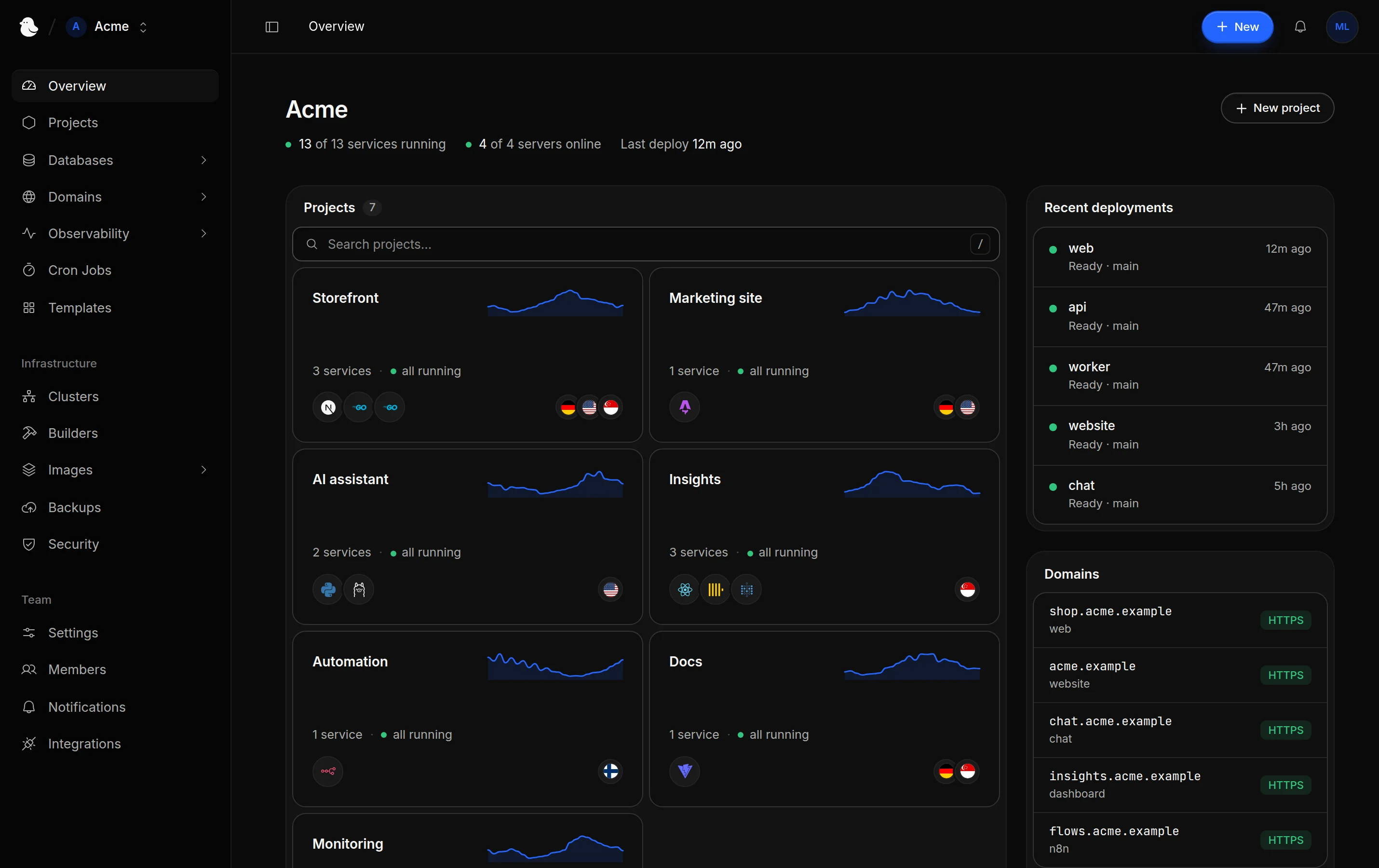
Everything you run, in one dashboard
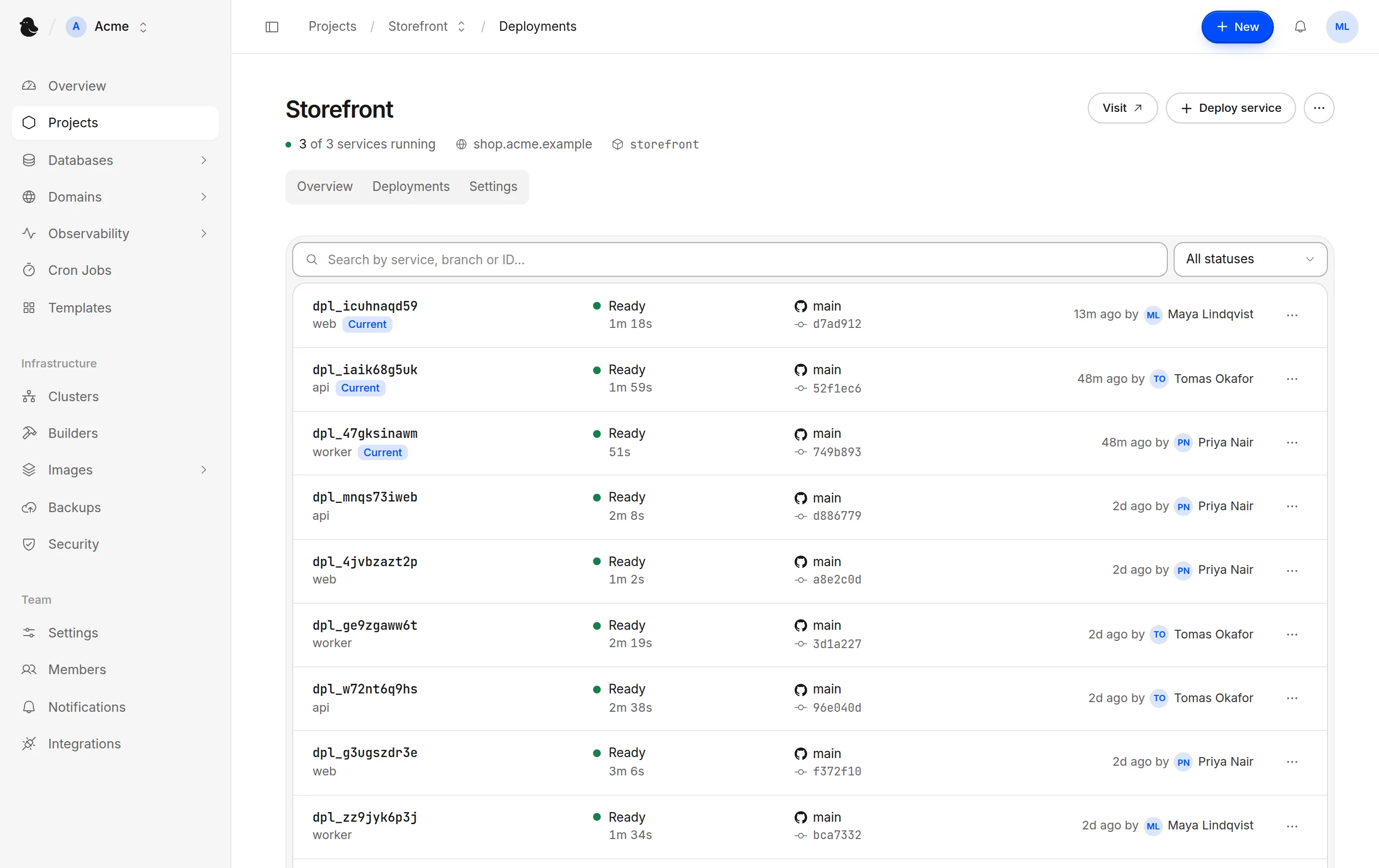
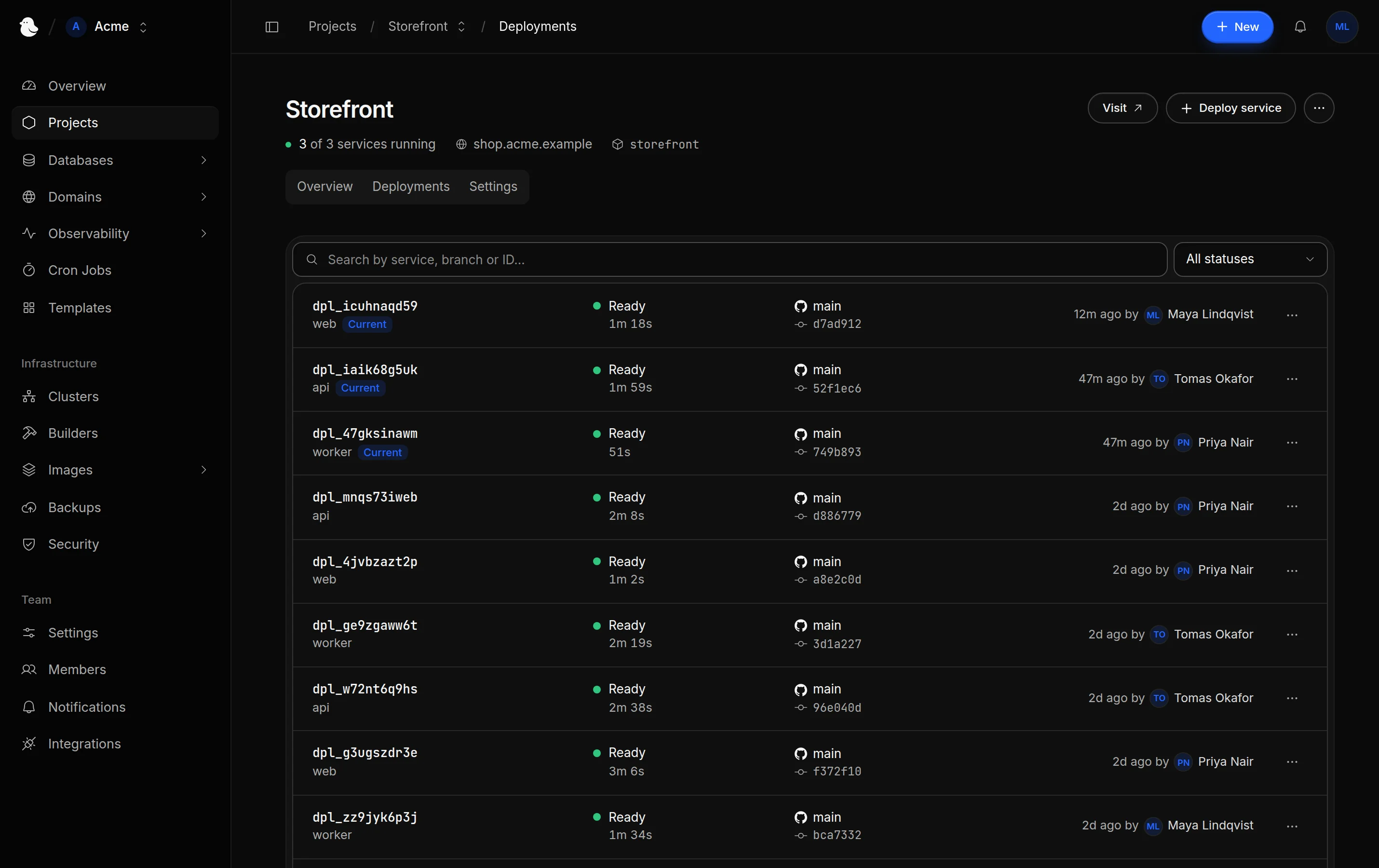
Deployments
Every deploy, in one place
Build from Git, with or without a Dockerfile, or run any container image. Connect GitHub to deploy on every push and roll back in one click. If a deploy fails, Pyo puts the previous version back on its own. Coming from Coolify or Dokploy? Import your services and databases in one go.
Observability
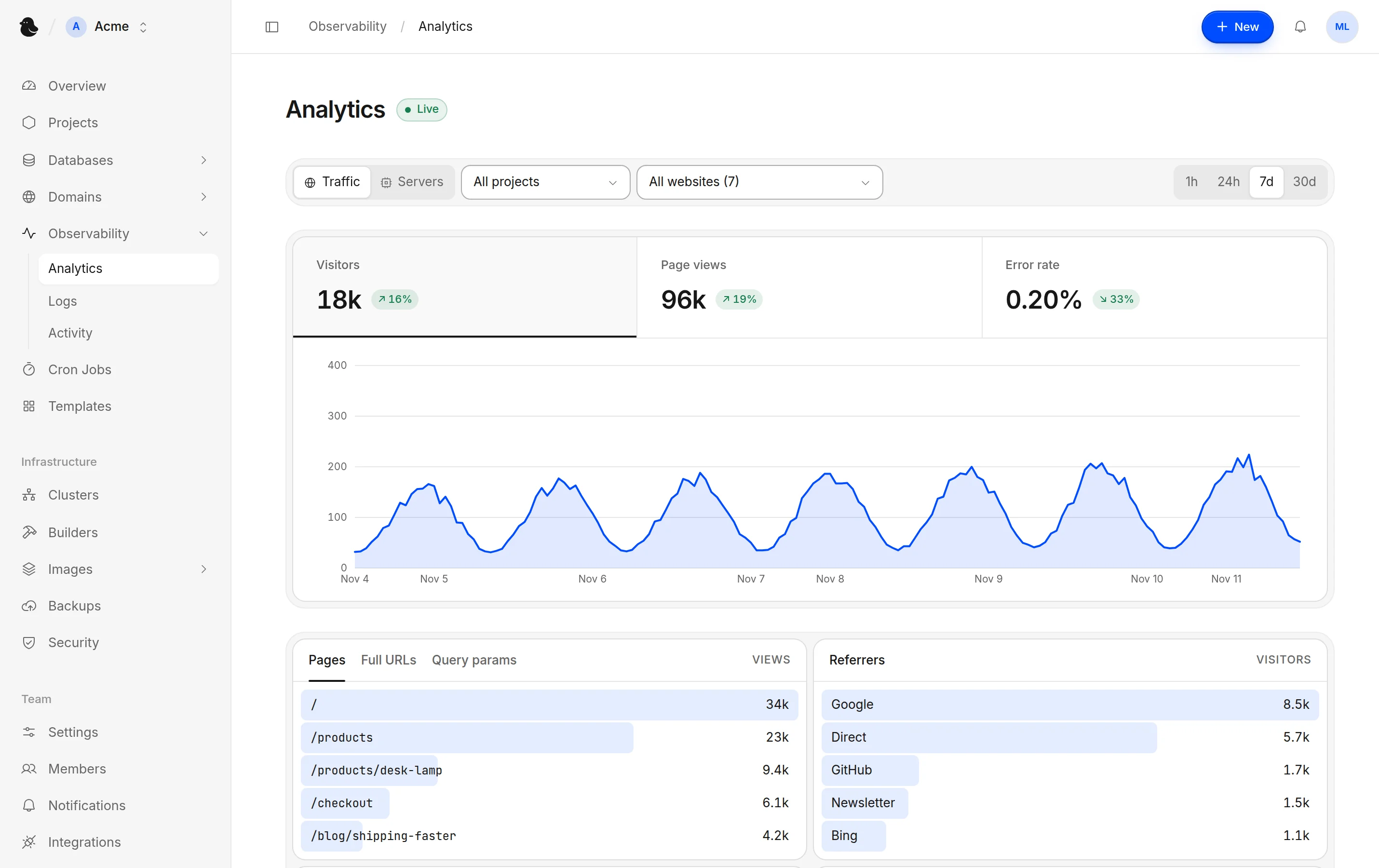
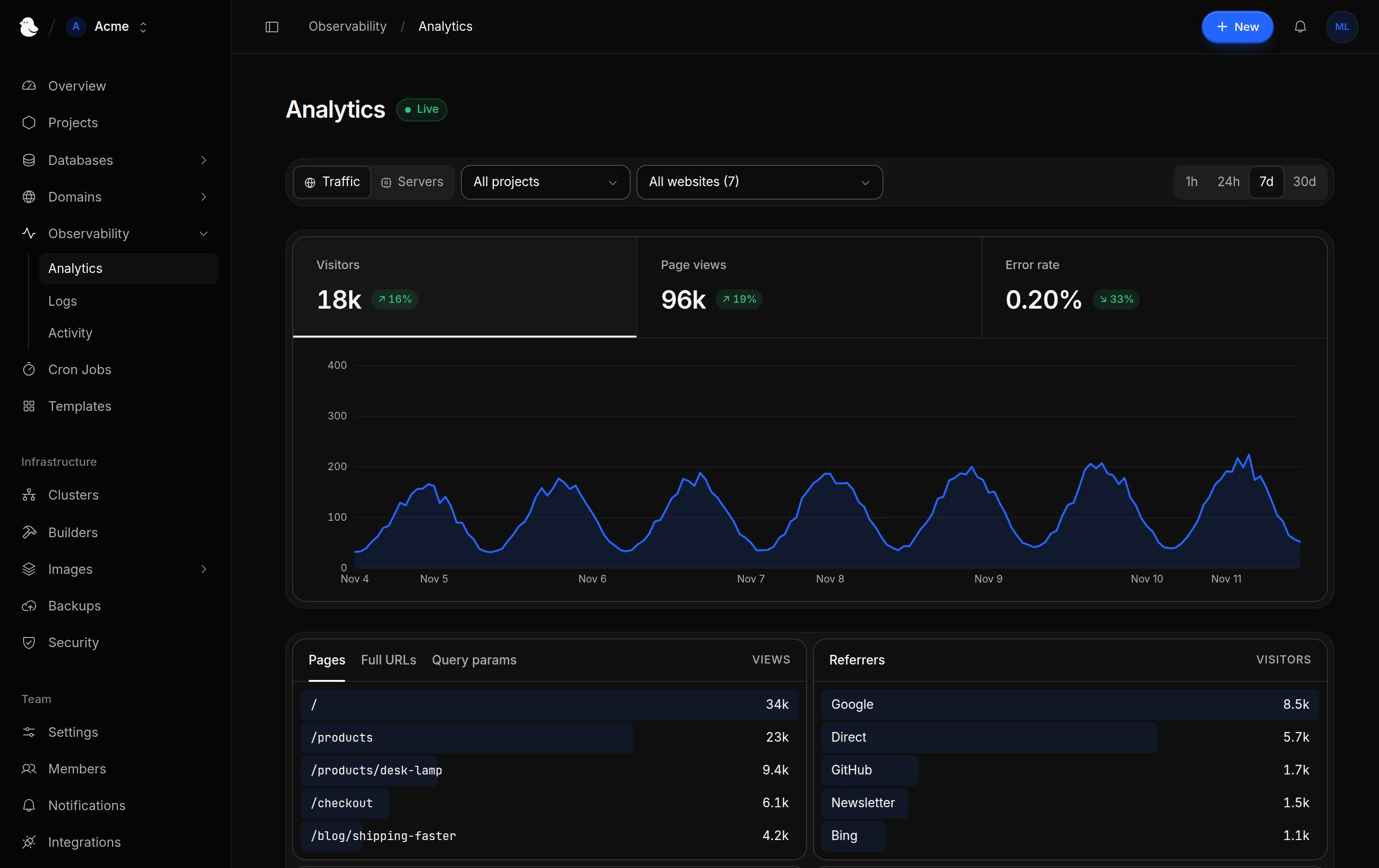
See what's happening
Visitors, requests and errors for your sites, with live logs and CPU and memory charts for everything you run.
Clusters
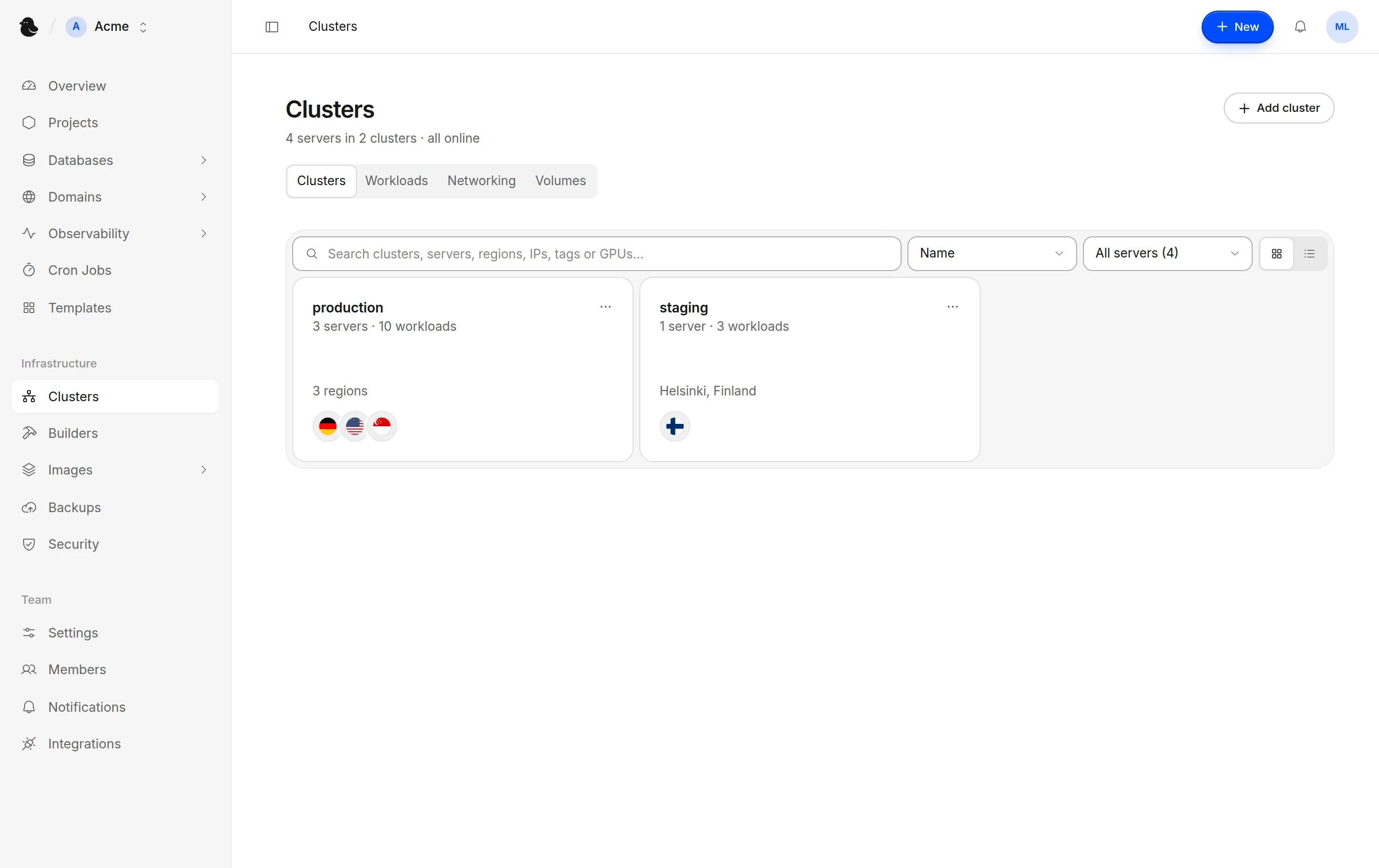
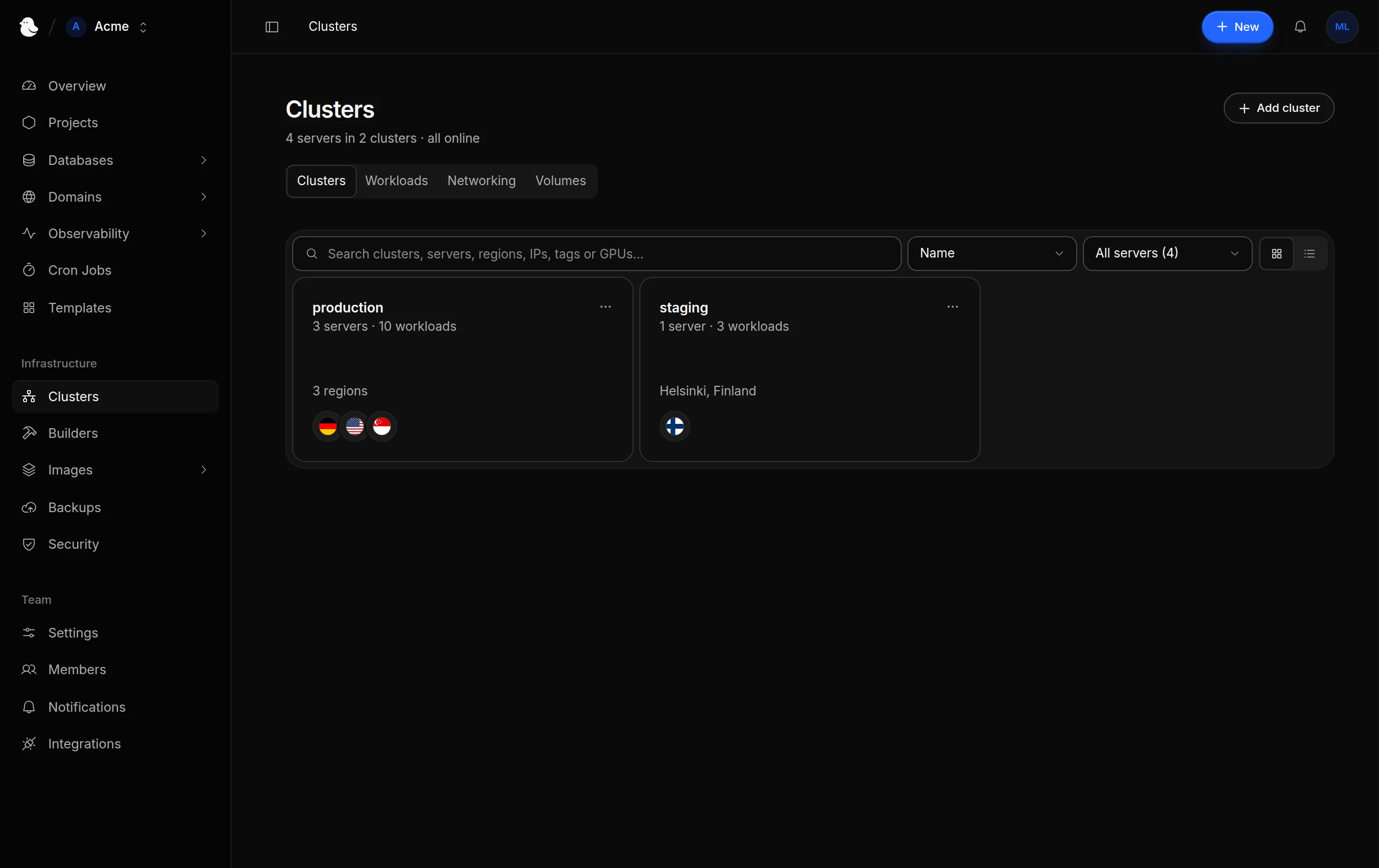
Start with one server, add more as you grow
Connect a VPS, a dedicated server or the machine under your desk. Add servers over Tailscale and choose where each service runs.
Databases
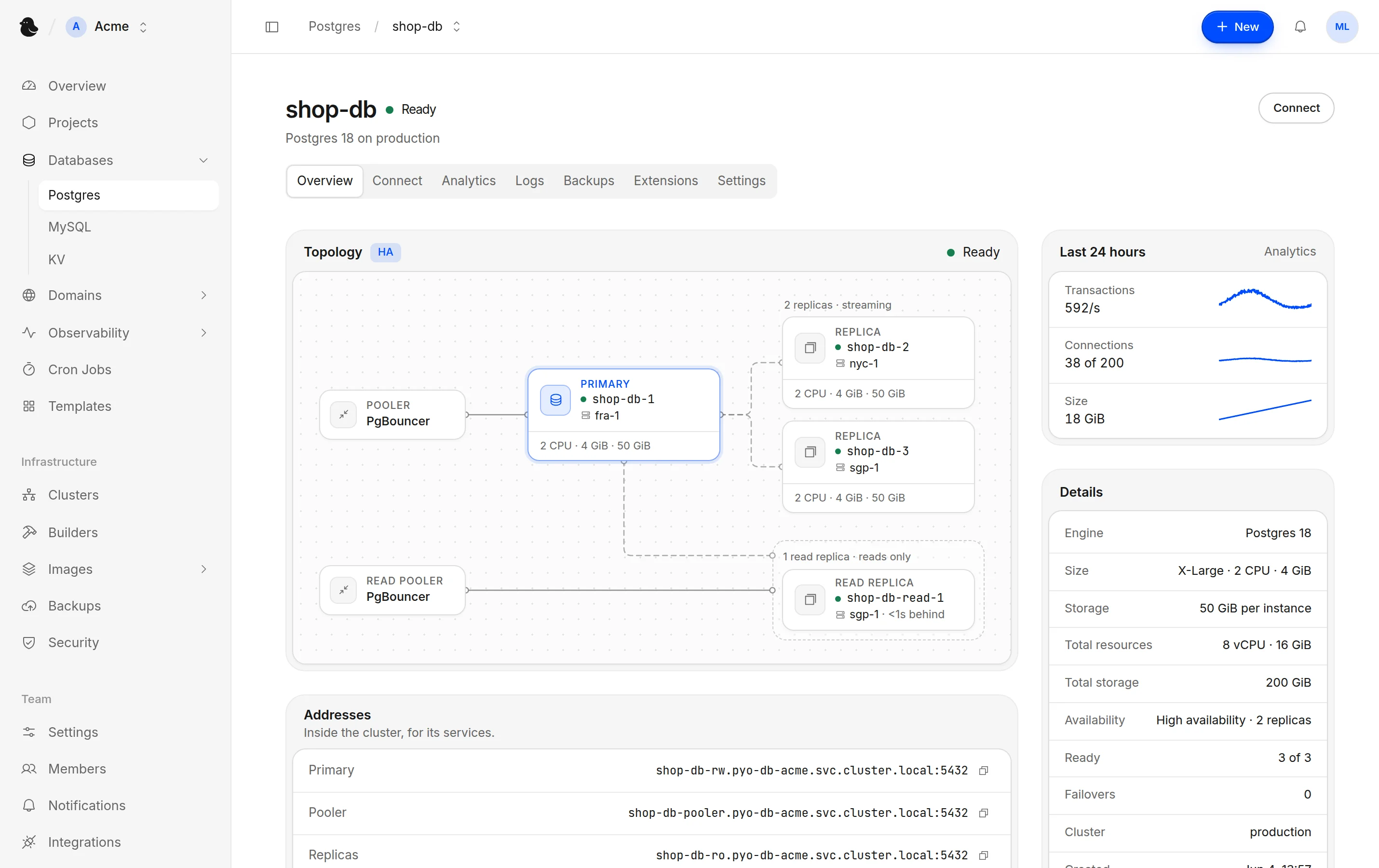
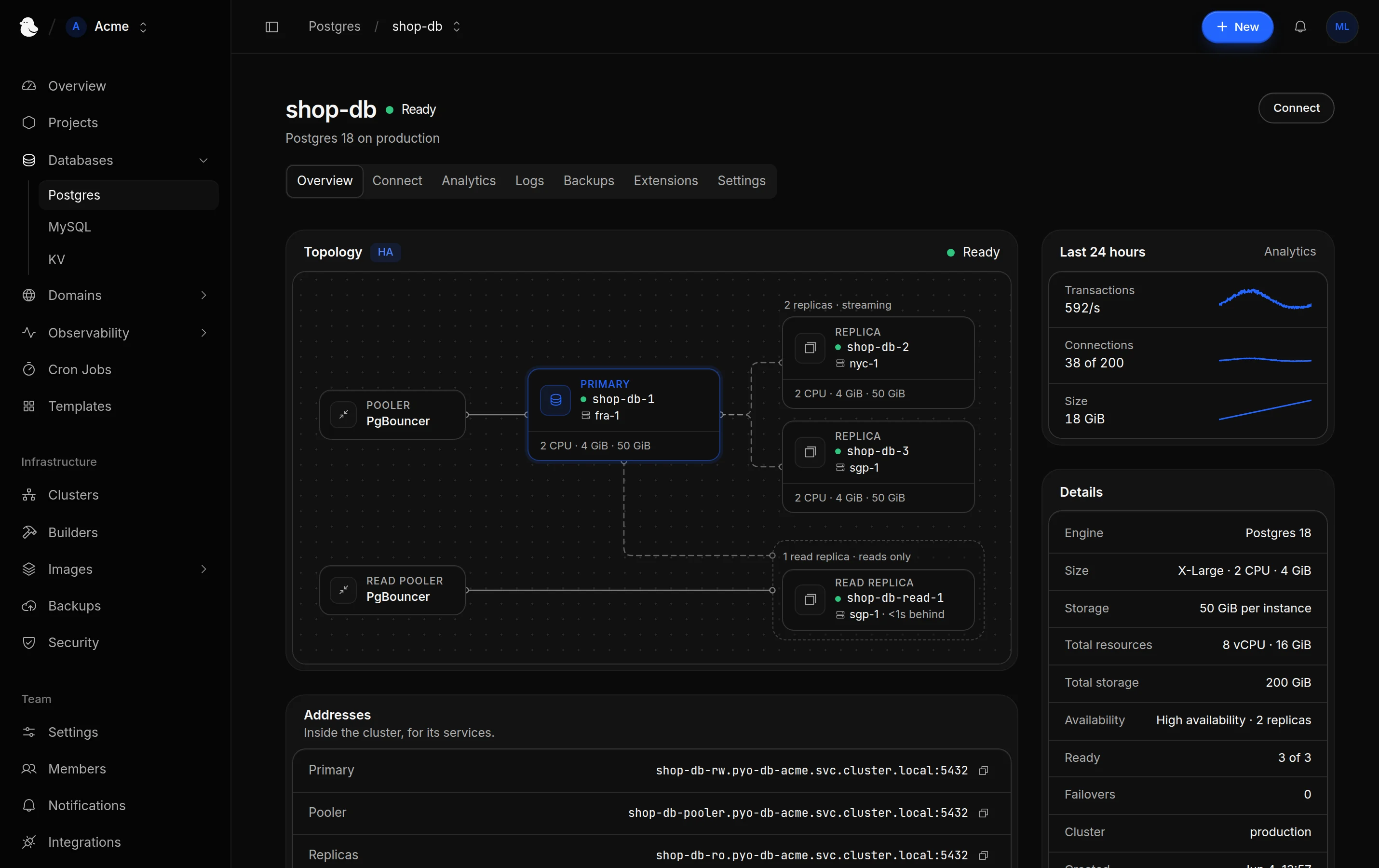
Postgres, MySQL and KV, built in
Standby replicas take over if the primary fails, read replicas handle reads, and backups run on a schedule. Restore Postgres to any moment, turn on extensions like pgvector, and watch throughput, connections and cache hits. KV speaks the Redis protocol and a REST API.
Templates
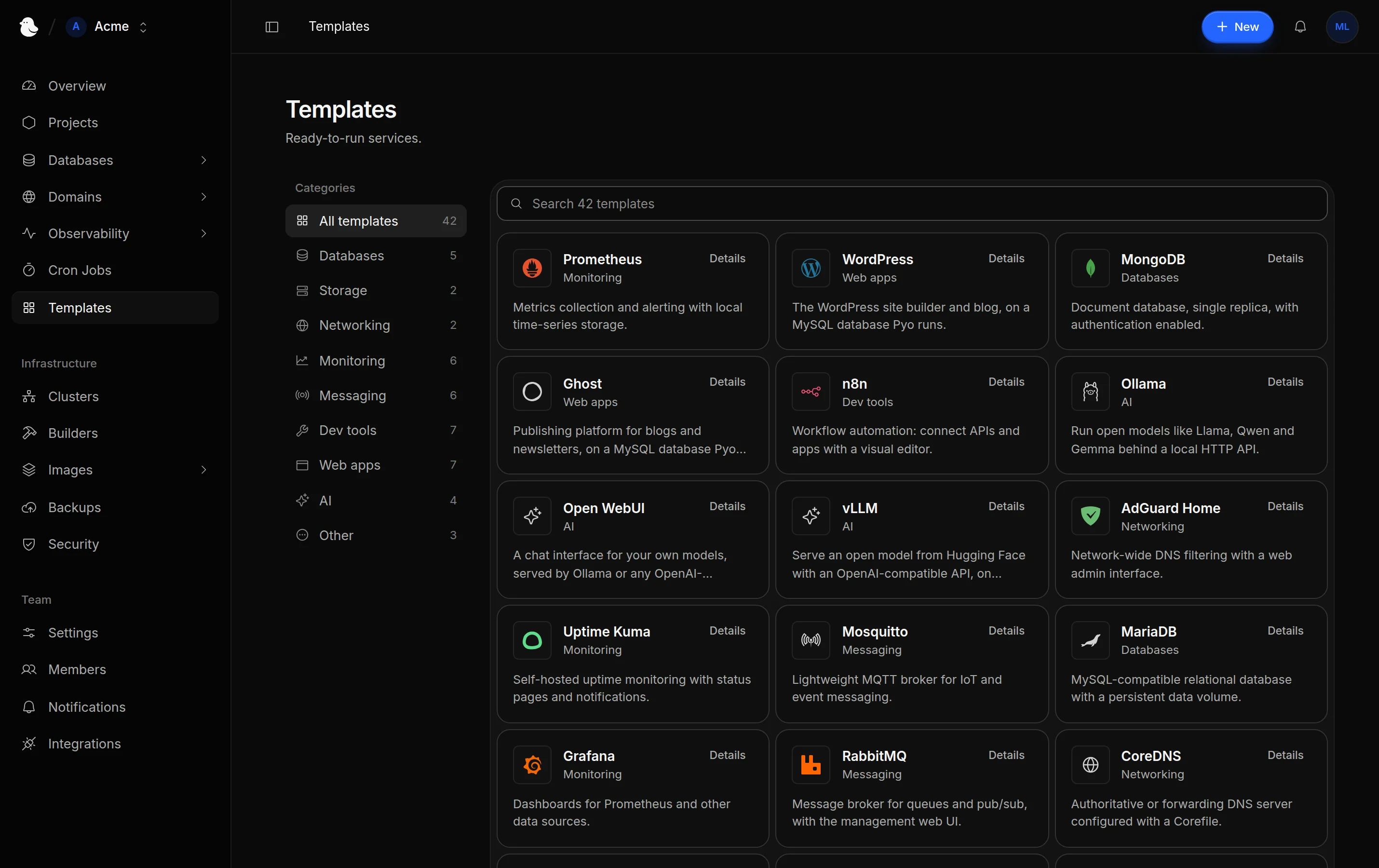
Apps in one click
WordPress, Ghost, n8n, Ollama and more, ready to run next to your code.
See all templates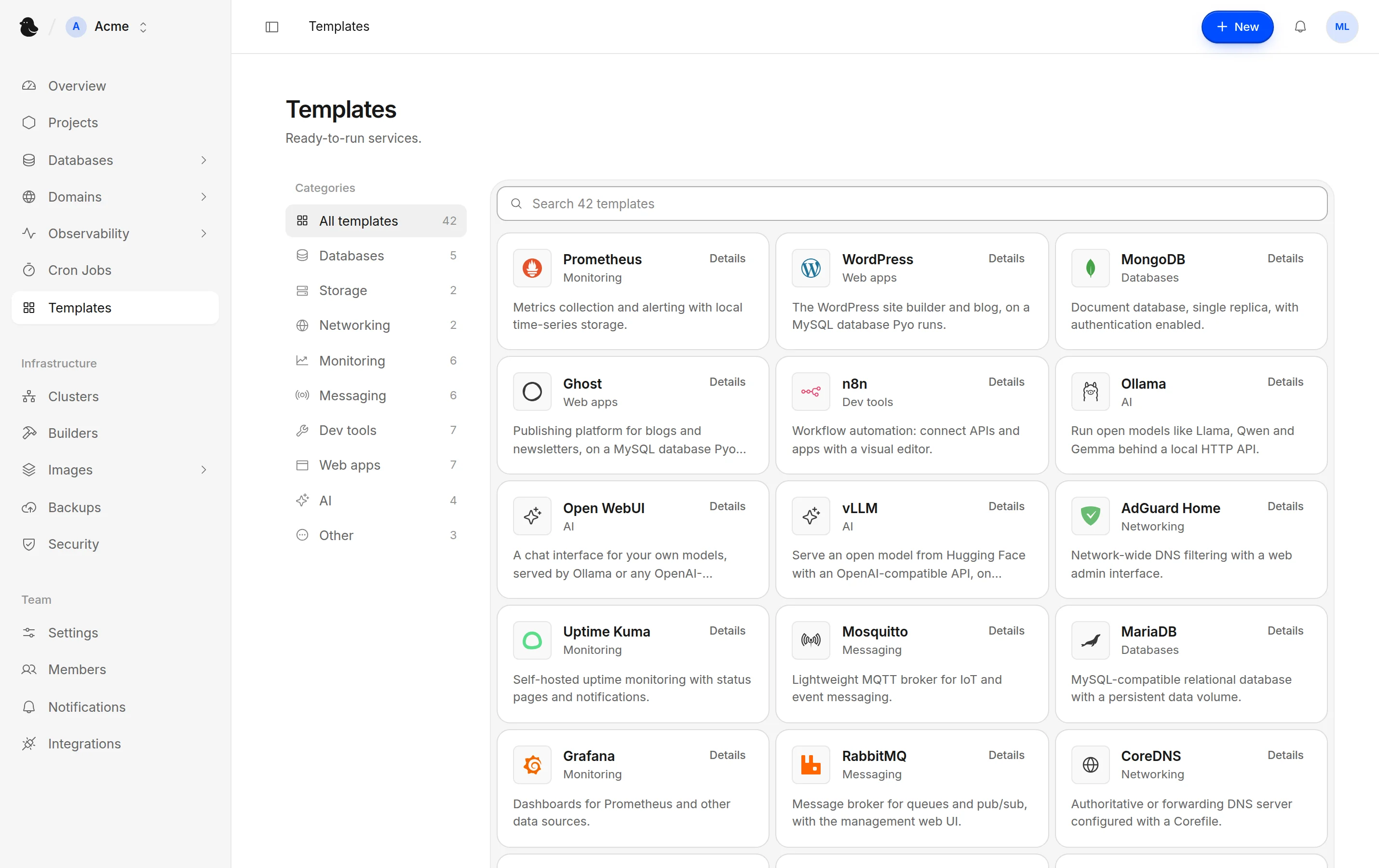
A modern cloud platform, on hardware you own or rent
Everything you'd expect from a hosted platform, with your servers and your data.
Deploy
From your code to a running service, however you like to work.
Deploy anything
From Git, a container image, a template or a Docker Compose file. Static sites too.
Zero-config builds
Pyo detects your framework and builds it, or uses your Dockerfile or Containerfile.
Deploy on every push
Connect GitHub, private repositories included.
One-click rollback
Go back to any earlier version. A failed deploy rolls back on its own.
Zero-downtime deploys
Set 2 replicas to avoid downtime during deploys.
Import from Coolify or Dokploy
Bring over projects, services and databases, with their variables and domains.
Deploy hooks
Trigger a deploy from CI, a CMS or a cron job with a secret URL.
Cron jobs
Run tasks on a schedule, with run history and alerts when one fails.
Build machines
Build on your own servers or on a dedicated build server.
Databases
Postgres, MySQL and KV, run for you on your own servers.
Postgres
Postgres 16 to 18, with a connection pooler built in.
MySQL
MySQL 8.4, starting at 1 GiB of memory.
Redis-compatible KV
Valkey, with a REST API for serverless and edge code.
Automatic failover
A replica on another server takes over if the primary's server goes down.
Point-in-time recovery
Restore Postgres to any moment and MySQL to its latest backup, as a new database.
Read replicas
Extra copies of Postgres and KV that serve reads.
Connect in one click
A service gets its connection variables as secrets.
Import your data
Postgres and MySQL from a connection URL or a dump file.
Deletion protection
On for every new database, until an admin turns it off.
Scale
Start with one machine and grow into a cluster.
Autoscaling
Set a min and max, and Pyo scales replicas with CPU and memory use.
Multi-server clusters
Add servers over Tailscale from anywhere, in any data center.
Multiple clusters
Keep production and staging apart, all from one dashboard.
Service placement
Choose where a service runs by location, by tag or by server.
Resource limits
Give every service its own CPU and memory requests and limits.
Self-healing
Crashed containers restart, and stateless services move to a healthy server.
Persistent volumes
Attach storage to the services that need to keep data.
Server maintenance
Cordon or drain a server before you remove it.
Background workers
Run workers and other services that don't need a public port.
Networking
Domains, certificates and private traffic, handled for you.
Custom domains
Point a domain at Pyo and it goes live in seconds, with no redeploy.
Automatic HTTPS
Let's Encrypt certificates, issued and renewed automatically.
Free domains
Start with a free domain that needs no DNS setup.
Your own certificates
Upload certificates for your domains, wildcards included.
Private network HTTPS
Tailnet and LAN domains get a self-signed certificate.
TCP and UDP ports
Game servers, DNS and more, through Pyo Gateway or straight from your servers.
Isolated project networks
Projects can't reach each other's services.
Private services
Keep databases and APIs internal, reachable only inside the cluster.
PROXY protocol
Send or accept it per port, so services see visitors' addresses.
Observability
See what's happening, without adding another tool.
Analytics
Visitors, pages, referrers, countries and devices, with no script to add.
Privacy by default
Visitors are hashed, and client IPs aren't kept unless you turn it on.
Logs
Request logs for your websites, ready to search and filter.
Live logs
Follow any service's output from the dashboard or with pyo logs.
Server monitoring
CPU, memory, disk and network, with no Prometheus to run.
Web terminal
Open a shell in any running service from the dashboard.
Activity log
A record of who deployed and changed what, and when.
Notifications
Alerts for failed deploys and server health. Mute any topic you like.
Connection analytics
See who connects to your TCP and UDP ports, and for how long.
Firewall
Decide who reaches your services.
Access rules
Allow or block by IP, range or country, per service.
Public traffic switch
Close a whole cluster to the internet with one setting.
Rate limits
Cap how many requests one visitor can send to a website.
Web application firewall
The OWASP Core Rule Set and your own rules, per service. Off by default.
Log only or block
Pick Standard to Strictest, add exceptions and see findings in Analytics.
A proxy without keys
Pyo Gateway routes your traffic and never sees your projects' Secrets.
Security and backups
Your data stays on your servers, protected.
Encrypted secrets
Every team's values are sealed with its own key.
OpenBao and Vault
Keep the master key in OpenBao or Vault, and rotate it any time.
Least-privilege agent
Turn off terminals or force removal, or make the agent read-only.
Volume backups
Scheduled or on demand, to the built-in store or S3. Restore in one click.
Database backups
PostgreSQL, MySQL, MariaDB, MongoDB and Valkey dumps.
Restore without Pyo
Backups use restic, so they're yours even if Pyo is gone.
Teams and roles
Invite your team as owners, admins, developers or viewers.
Private registries
Pull images from private registries with saved logins.
Backups of Pyo itself
Save Pyo's own data on a schedule, locally or to a bucket.
Automate
Work from the dashboard, your terminal, your code or your AI assistant.
The pyo CLI
Deploy, follow logs, set variables, roll back and open a shell.
Config in your repo
Keep a service's build and deploy settings in pyo.toml.
API and scoped keys
A documented API, with keys that can read, deploy or do everything.
MCP for AI assistants
131 tools that cover everything the API can do.
Keeps running without Pyo
Your services stay up even if Pyo itself is down.
No lock-in
Open source under Apache 2.0, built on standard tools.
One-click templates
42 databases, tools and apps, ready to run on your servers. Pick one and Pyo handles the rest: storage, health checks and generated passwords.
Built for production
The safeguards production needs, on servers you own.
Deploys without downtime
Set 2 replicas to avoid downtime during deploys.
Self-healing
Crashed containers restart on their own, and stateless services move to a healthy server if one goes down.
Room to scale
Run as many replicas as your servers fit, or let Pyo add and remove them as CPU and memory use change.
Isolation by default
Projects are kept apart, secrets are encrypted, and a firewall decides who gets in.
Get Pyo running on your server
Run Pyo on any machine, from your laptop or VPS to a dedicated server or homelab.
curl -fsSL https://pyo.dev/install.sh | bash